Scarlette: A Script Font That Elevates Digital Branding
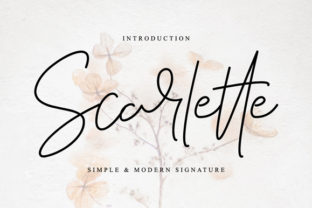
I was working on a boutique online store redesign when I stumbled upon Scarlette. It’s a sweet and romantic script font with an incredibly authentic vibe that immediately caught my eye. As a web designer, I knew I had to test it in real layout scenarios to see how it would perform in a live project.
Scarlette for Wedding Invitations and Elegant Branding
Scarlette is a Script Handwritten font that feels like it was handcrafted for moments of beauty and emotion. I used it in the hero section of the boutique site as the main headline, pairing it with a clean sans-serif body font. The result was a subtle contrast that made the brand feel both personal and professional. For a small business website or a creative portfolio, Scarlette can serve as the perfect anchor for your brand identity.
Its romantic and authentic vibe makes it ideal for use cases like wedding invitations, love-themed campaigns, or any project that needs to evoke warmth and sincerity. When I placed Scarlette over an image banner, it didn’t overpower the visual but instead added a layer of elegance that enhanced the overall aesthetic. This kind of subtlety is what makes Scarlette stand out in a crowded digital space.
Scarlette for Blog Headers and Content Visuals
While testing Scarlette for a blog redesign, I noticed how it could elevate content visuals without being too flashy. I used it as the header font for blog posts and even as decorative accents in sidebars and footers. Its soft curves and flowing lines create a sense of movement that keeps readers engaged.
However, I also considered readability. On mobile screens, I made sure to keep the text size large enough to maintain legibility. Scarlette works best in short phrases and headlines, where its charm doesn’t get lost in long paragraphs. For longer sections, I paired it with a more neutral sans-serif font to ensure a balance between style and functionality.
Scarlette for Product Landing Pages and Course Sales Pages
When designing a product landing page, I wanted to make the headline pop. Scarlette was the natural choice. Its romantic tone aligned perfectly with the brand’s message, making the call-to-action more inviting. I tested it on different backgrounds—light and dark—and found that it performed best on light-colored surfaces, especially when used over images with low contrast.
For course sales pages, Scarlette helped create a sense of exclusivity and care. I used it for the title and key selling points, ensuring it remained readable even at smaller sizes. I also experimented with using it as a decorative element in buttons and banners, which added a touch of personality without overwhelming the user experience.
Scarlette for Social Media Graphics and Digital Ads
Social media graphics are all about first impressions, and Scarlette delivers in spades. I used it for Instagram headers and Facebook banners, where its script style added a level of sophistication that matched the brand’s voice. The authenticity of Scarlette made it feel like a real person was writing the text, which is something many brands struggle to achieve in digital content.
When creating digital ads, I found that Scarlette worked well as a display font, especially for short headlines and taglines. It’s important to remember that while it’s a Script Handwritten font, it should be used sparingly to avoid clutter. Pairing it with a bold sans-serif font for the body copy ensures clarity and maintains a strong visual hierarchy.
Scarlette for Logo Design and Brand Identity
Logo design is one of the most critical aspects of brand identity, and Scarlette has proven itself as a versatile option. I tested it for a few logo concepts and found that it brought a unique charm to the brand’s visual language. Whether used as the primary typeface or as an accent, Scarlette adds a layer of character that helps differentiate a brand from competitors.
When considering commercial font licensing, I made sure to check if Scarlette included all necessary styles, weights, and formats for web use. It’s essential to have access to webfont versions so that the font can be used across different platforms and devices without compromising quality or performance.
Scarlette for Responsive Web Design and Mobile Optimization
Responsive design is a must in today’s digital landscape, and I made sure to test Scarlette on various screen sizes. On mobile devices, I adjusted the font size and spacing to ensure readability without sacrificing the font’s charm. Scarlette performs well in responsive layouts, especially when paired with a clean, modern sans-serif font for body text.
For small buttons and call-to-action areas, I used lighter weights of Scarlette to maintain clarity. It’s also worth noting that Scarlette supports multiple languages, which is a great asset for international brands looking to expand their reach.
Overall, Scarlette is a Script Handwritten font that brings a unique personality to any digital project. Whether you’re building a boutique online store, a coaching website, or a creative portfolio, this font can help you create a more polished and authentic online brand experience. With its sweet and romantic vibe, Scarlette is more than just a font—it’s a statement.